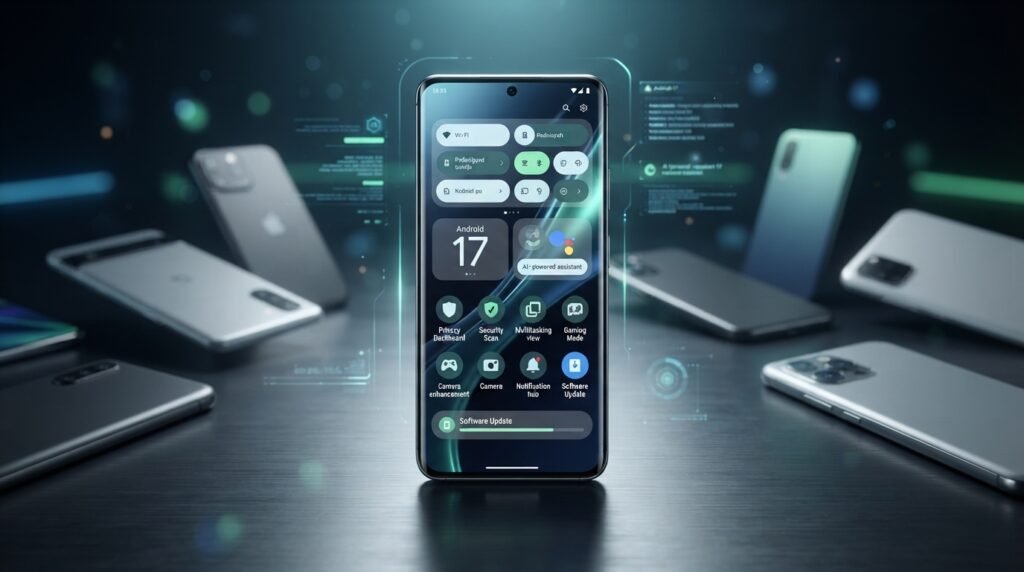

Android continues to evolve, and the latest Android update brings more than just a fresh look. Google has officially released Android 17, introducing new tools for multitasking, security, privacy, media creation, gaming, and AI-powered experiences. The update first became available for supported Google Pixel devices, while other smartphone manufacturers are rolling out their own versions according to their update schedules.
If you use an Android smartphone, you may be wondering: What is new in Android 17? Which phones support it? Will Samsung, Xiaomi, OnePlus, and other brands receive the update? And should you install it immediately? These are reasonable questions because Android updates don’t arrive on every phone at the same time.
Google’s approach with Android 17 is particularly interesting because the company describes Android as moving toward an “intelligence system”, with deeper integration between hardware, software, AI, privacy, and everyday tasks.
For ordinary users, however, the most important thing is much simpler: does Android 17 actually make your phone better?
The short answer is yes. Android 17 introduces useful changes rather than relying entirely on cosmetic improvements. From floating app windows and improved screen recording to stronger security controls and better experiences on large-screen and foldable devices, this update is designed to make Android more practical.
Let’s take a closer look at everything you need to know about the latest Android update.
What Is the Latest Android Version?
As of September 2026, Android 17 is the latest major Android version. Google released Android 17 in June 2026, initially making it available on most supported Pixel devices. Google says new devices running Android 17 are expected to appear from other manufacturers as their update programs progress.
This release follows Android 16, which arrived in June 2025 with features such as live updates, improved notifications, enhanced hearing-device support, and stronger security protections.
Android 17 takes the platform another step forward. Instead of focusing only on visual changes, Google is putting more attention on multitasking, AI, privacy, security, large-screen devices, media creation, and performance.
That means Android 17 isn’t simply another version number. It is part of Google’s larger effort to make Android more adaptive to how people actually use their phones.
Android 17 New Features
One of the easiest ways to understand the latest Android update is to look at the features you’ll actually notice.
Android 17 includes improvements that can make everyday smartphone use smoother, especially if you frequently multitask, create videos, use a foldable phone, or care about privacy.
Some of the major highlights include:
- Floating Bubbles for easier multitasking
- Improved screen recording
- Better tools for content creators
- Optimized gaming experiences for foldable devices
- Stronger privacy controls
- Enhanced anti-theft and security features
- Better large-screen app behavior
- Improved AI and intelligent system capabilities
- New camera and media capabilities
- More advanced app and memory management
Google says Android 17 introduces next-generation privacy, security, media, camera, and performance improvements while also making apps more adaptable across different screen sizes.
Let’s break down the most interesting changes.
Floating Bubbles Make Multitasking Easier
One of the more practical Android 17 features is the expanded Bubbles experience.
Imagine you’re watching a YouTube video but need to quickly open another app. Traditionally, you’d switch between applications, find the previous app again, and repeat the process whenever you need it. Android 17’s Bubbles feature is designed to make this type of multitasking much easier.
Google says users can turn an app into a compact floating window that stays above other apps. On large-screen devices, these bubbles can appear in a dedicated bubble bar, allowing users to switch between applications quickly.
This could be particularly useful on tablets and foldable phones, where there is much more screen space available.
For example, you might keep a messaging app floating while browsing the web. You could also use a calculator while working inside another application without constantly switching back and forth.
It’s a small change, but these small changes are often what make an operating system feel better in everyday use.
Better Screen Recording
Screen recording has become an important smartphone feature for creators, gamers, teachers, and ordinary users.
Whether you’re recording a gaming session, demonstrating how to use an app, creating a tutorial, or helping a family member troubleshoot a problem, screen recording can be incredibly useful.
Android 17 improves the experience with a new screen-recording toolbar that can also let users record their reactions at the same time. Google highlights this as a creator-focused improvement in Android 17.
This could be especially useful for people who make content for YouTube, TikTok, Instagram, or other platforms.
Instead of recording your screen first and then using another application to add a reaction video, Android 17 makes the process more integrated.
For casual users, this may not be a feature they use every day. For content creators, however, it could become one of those tools that quickly becomes part of their regular workflow.
Android 17 Brings Stronger Security
Smartphone security is becoming more important every year because our phones contain everything from private photographs to banking information, passwords, conversations, documents, and location data.
Android 17 continues Google’s focus on protecting that information.
Google says Android 17 introduces additional security improvements, including stronger protections designed to help protect users when their phones are lost or stolen. The platform also includes changes around application data access and advanced protection.
Google’s broader 2026 Android security work also includes features such as USB protection and intrusion logging. Google says intrusion logging is rolling out to devices running the Android 16 December update and newer, while USB protection is available through Advanced Protection on Pixel devices running Android 16 or later.
The important takeaway is that security updates aren’t just technical details hidden in the background. They can directly affect how safe your personal information is.
Better Privacy Controls
Privacy is another major part of the latest Android update.
Modern smartphones constantly interact with cameras, microphones, location services, Bluetooth, files, contacts, and other sensitive information. Android therefore needs to make it easier for users to understand and control what applications can access.
Android 17 continues Google’s work in this area by strengthening privacy controls and changing how certain applications can access sensitive system capabilities. Google has also announced restrictions involving accessibility services as part of Android 17’s advanced protection changes.
This is especially important because not every app that requests permission necessarily needs permanent access.
The direction is clear: Android is becoming more careful about what applications can do in the background and what sensitive information they can access.
Android 17 and Foldable Phones
Foldable phones are changing what people expect from Android.
A traditional smartphone has one main screen and one basic shape. Foldables can have different screen configurations, aspect ratios, and orientations. That creates a challenge for developers because an application needs to behave properly across different layouts.
Android 17 makes large-screen compatibility a major part of the platform.
Google says Android 17 introduces an adaptive-first development approach and mandatory large-screen resizability requirements for apps targeting the new platform.
For users, this could eventually mean fewer applications that look awkward when opened on tablets or foldable phones.
Android 17 also introduces a foldable gaming mode, designed to improve the gaming experience on foldable devices.
As foldables become more common, these improvements could become increasingly important.
Android 17 and Gaming
Mobile gaming is no longer a small part of the smartphone industry. Today’s Android phones can run sophisticated games with console-like graphics, demanding processors, high-refresh-rate displays, and advanced cooling systems.
Android 17 aims to improve the platform for gaming, particularly on newer form factors.
The foldable gaming improvements are particularly interesting because gaming on a foldable can involve unusual screen layouts. Google is working to make these experiences more adaptable.
Android 17 also includes broader platform changes designed to improve performance and memory management.
For gamers, however, the actual experience will still depend heavily on the phone’s processor, GPU, cooling system, RAM, display, and game optimization.
In other words, installing Android 17 won’t magically turn an entry-level phone into a gaming flagship. But on compatible hardware, the operating-system improvements can help developers and manufacturers deliver a smoother experience.
Improved AI Features
AI has become one of the biggest themes in Android development.
Google is increasingly connecting Android with Gemini and other intelligent experiences. The company’s broader Android updates in 2026 have introduced AI-powered tools for communication, organization, image creation, and everyday assistance.
Android 17 continues that direction.
Google describes the platform as transitioning from a traditional operating system toward an intelligence system, with deeper integration between AI, hardware, applications, and the Android platform.
This doesn’t mean every Android 17 phone will receive exactly the same AI features.
That’s an important distinction.
Some AI features depend on the manufacturer’s software, processor capabilities, Google account features, regional availability, and specific device hardware.
So if you see an Android 17 feature demonstrated on a Pixel phone, don’t automatically assume the exact same feature will appear on a Samsung Galaxy, Xiaomi, OnePlus, or another Android phone.
New Camera and Media Improvements
Android 17 also brings changes for developers working with cameras and media.
Google’s Android 17 development documentation highlights improvements designed to give applications more advanced capabilities for modern camera and media experiences.
These platform improvements can eventually appear in camera applications, video-editing tools, social media apps, and other software.
Android 16 already introduced more advanced camera capabilities, including fine control over color temperature and tint as well as hybrid auto-exposure modes for Camera2.
This shows how Android’s camera system is becoming more flexible for developers and creators.
For ordinary users, these improvements may not immediately appear as a new button on the camera screen. Instead, they can enable developers and phone manufacturers to build better camera and video experiences over time.
Which Phones Support Android 17?
This is probably the question most Android users want answered.
The Google Pixel lineup receives Android updates first, and Google has made Android 17 available through supported Pixel devices. Google provides an official Android 17 update pathway for compatible Pixel phones.
Google’s Pixel update history demonstrates why Pixel phones are often among the first devices to receive major Android releases.
However, Android is used by many manufacturers, and each company has its own update process.
That means Samsung, Xiaomi, OnePlus, Motorola, OPPO, vivo, Nothing, and other manufacturers may release their own Android 17-based software at different times.
Expected Android 17 Phones
The exact supported-device list depends on each manufacturer, but owners of newer flagship and premium phones should generally check their manufacturer’s official update announcements.
Potentially eligible categories can include newer:
- Google Pixel phones
- Samsung Galaxy flagship phones
- Samsung Galaxy A-series models with active update support
- Xiaomi and Redmi devices with applicable software support
- OnePlus flagship and recent devices
- Motorola’s newer supported models
- OPPO and vivo devices covered by their update policies
- Nothing phones covered by the company’s update commitments
Important: Android 17 eligibility is model-specific. A phone being relatively expensive or recently purchased does not automatically guarantee an Android 17 upgrade.
Before publishing or purchasing based on a supported-device list, check the phone manufacturer’s official announcement for your exact model and region.
What About Samsung Phones?
Samsung uses its own Android-based interface, so Android 17 will arrive as part of a future version of One UI rather than looking exactly like Google’s Pixel software.
Samsung typically adds its own interface features, customization options, Galaxy ecosystem tools, and AI experiences on top of Android.
This means a Samsung phone can receive an Android version update without every Google feature appearing in exactly the same form.
If you own a recent Galaxy smartphone, the best way to check availability is through Settings → Software update → Download and install.
Samsung’s actual rollout timing can differ by model, carrier, country, and region.
What About Xiaomi Phones?
Xiaomi also modifies Android extensively through its HyperOS software.
When a Xiaomi or Redmi device receives Android 17, users should expect the update to be integrated into the company’s own software rather than receiving a completely stock Android experience.
Xiaomi’s rollout schedule can vary considerably between models and markets.
For Xiaomi users, checking Settings → About phone → HyperOS → Check for updates is one of the easiest ways to see whether an update has become available.
The exact Android version and HyperOS version shown will depend on the specific device.
How to Check Your Android Version
You don’t need to be a technology expert to check whether your phone is running the latest software.
On many Android phones, you can open:
Settings → About phone → Android version
You can also check:
Settings → System → Software update
The exact menu names can vary depending on the manufacturer.
If an Android update is available, it’s a good idea to connect your phone to Wi-Fi and make sure you have enough battery before starting the installation.
And before a major update, keeping a backup of important photos, contacts, documents, and other data is always a smart move.
Should You Install the Latest Android Update?
Generally, yes.
Software updates can improve security, fix bugs, improve compatibility, and introduce new features. Google’s Android security bulletins document vulnerabilities addressed through Android security patch levels, which is one reason keeping your phone updated matters.
However, don’t panic if your phone hasn’t received Android 17 yet.
Android updates are released in stages across the ecosystem. Google may release the platform first, while individual manufacturers need additional time to test their software with specific processors, cameras, displays, network configurations, and hardware.
So if your Samsung, Xiaomi, OnePlus, or other Android phone is still running Android 16, that doesn’t necessarily mean something is wrong.
The rollout simply may not have reached your particular model or region yet.
Android 17 vs Android 16
| Feature | Android 16 | Android 17 |
|---|---|---|
| Major release | 2025 | 2026 |
| Live updates | Yes | Improved platform foundation |
| Notification improvements | Yes | Continued refinement |
| Security | Advanced Protection | Stronger security and privacy |
| Multitasking | Improved | Floating Bubbles |
| Large screens | Improved | Stronger adaptive-first approach |
| Foldables | Supported | Better gaming and app adaptation |
| Screen recording | Available | Improved creator tools |
| AI | Expanding | Deeper intelligence-system direction |
| Camera/media | Major improvements | Further next-generation capabilities |
Android 16 introduced important improvements including live updates, notification changes, accessibility improvements, and security enhancements.
Android 17 builds on that foundation with more advanced multitasking, creator features, security, large-screen support, and AI-oriented capabilities.
Final Verdict
The latest Android update, Android 17, is a meaningful upgrade rather than simply a cosmetic refresh.
Google is focusing on making Android more intelligent, secure, flexible, and useful across different types of devices. Features such as floating Bubbles, improved screen recording, stronger privacy protections, better security, foldable gaming improvements, and large-screen optimization show where the platform is heading.
The biggest change may actually be the direction of Android itself.
Google increasingly sees Android as an intelligent platform rather than simply an operating system. AI is becoming more deeply integrated, while Android is also adapting to foldables, tablets, larger screens, advanced cameras, and new hardware designs.
For Pixel owners, Android 17 is already available on supported devices. For Samsung, Xiaomi, OnePlus, Motorola, OPPO, vivo, and other users, availability depends on the individual manufacturer’s update schedule and the exact phone model.
So, should you update?
Yes, when Android 17 officially becomes available for your phone.
Just remember that Android updates aren’t identical across every device. Your manufacturer may add its own interface, remove certain features, or introduce additional tools.
The smartest approach is simple: keep your phone updated, check your manufacturer’s official support information, and don’t judge the update based solely on what another Android phone receives.
Android 17 is pushing smartphones toward a future where the phone isn’t just a device for running apps. It’s becoming a more intelligent assistant, a stronger security tool, a better creative device, and a more flexible computer that can adapt to the way you use it.